

IGNOU Grade Card Status June 2026 has been updating in phases. Students can check their marks through the official Grade Card portal.
IGNOU Grade Card 2026 – Direct Link
How to Check IGNOU Grade Card Status 2026
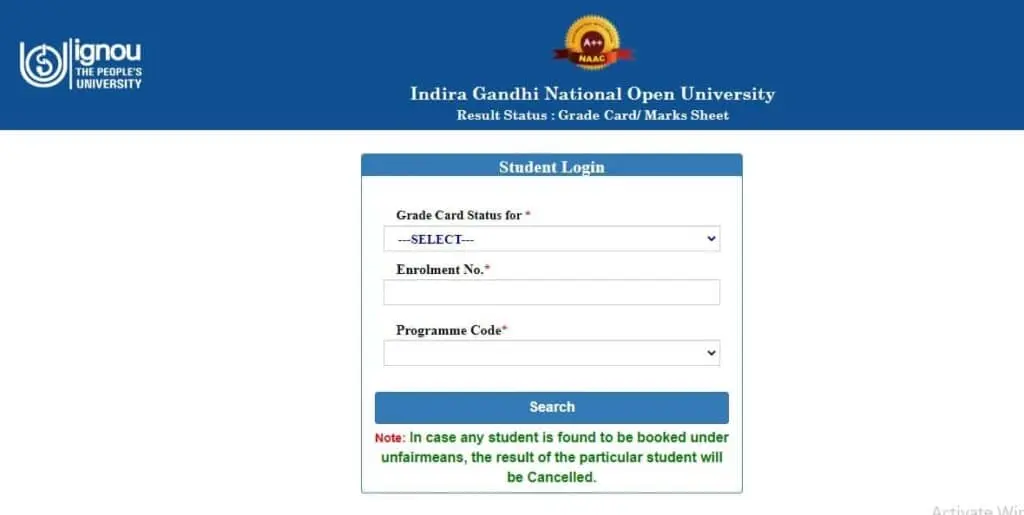
- Open the IGNOU Grade Card portal.
- Select your programme.
- Enter your enrolment number.
- Submit the details.
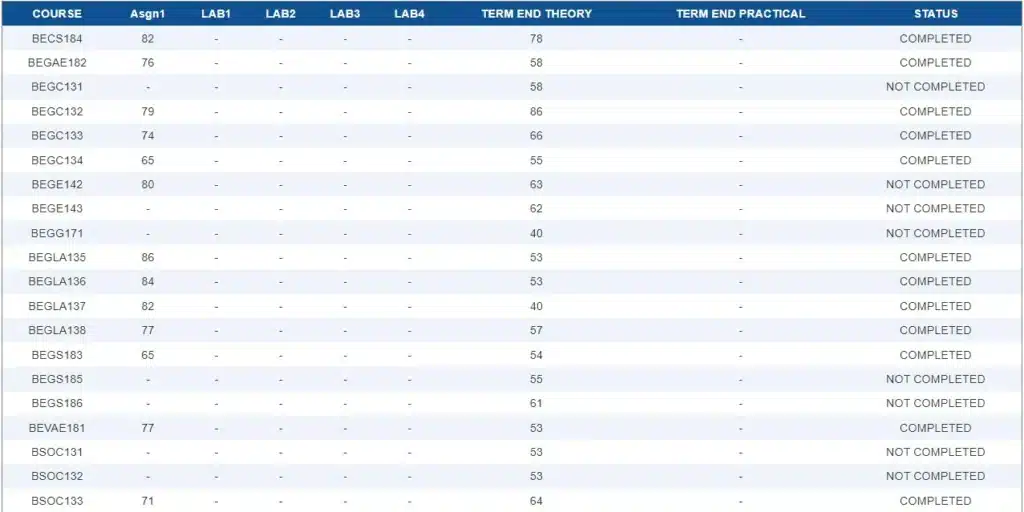
- Check the status of each course/component.
Note- If you registered before January 2015 for a bachelor’s degree, select BDP
📊 Want to Calculate Your IGNOU Percentage??If your grade card marks have been updated, use our free IGNOU Grade Card Calculator to estimate your percentage based on your marks.
What is an IGNOU Grade Card 2026?
The IGNOU grade card portal is an online tool that shows your overall academic performance separately including:
- Assignments
- Practical
- Term-end theory
- Project
The grade card makes things easier because you can check all your marks in one place instead of visiting different portals. The university usually conducts its TEE in June and December every year. The grade card is updated in phases after the theory results are declared.
If you want to learn more about IGNOU read our complete IGNOU University guide.
“IGNOU result not completed means” some of your required marks is missing or the marks you got is less than the passing marks.
Completed: The required components for a course have been processed and the course has been marked complete.
Not Completed: One or more required components may be missing, pending, or may not have met the applicable requirements.
If your Grade Card remains “Not Completed” because IGNOU Assignment status are missing or have not been updated, see our detailed guide on IGNOU Grade Card Not Updated 2026.
IGNOU grade card updated information
IGNOU updates grade-card components in phases after the relevant evaluation and result processing. The exact timing can vary depending on the programme, examination session and evaluation status. The grade card was last updated for June 2026 session on official website is 08/09/2026.
About IGNOU Grade Card status 2026
The grade card gives a clear overview of a student’s course performance.
Enrollment Details:
This section shows personal information including: name, enrollment number and program code.
Course Code:
All your selected subjects will be displayed.
Assignment result:
The total marks you get in an TMA.
Term-end Examination:
This section shows the marks earned in the term-end exam.
Practical/Project:
This section displays the score achieved in practical or projects marks.
Status:
This column gives comments and status details, such as “Completed” or “Not completed”.
How is the IGNOU Grade Calculated?
University uses a weightage system:
- Assignments – 30%
- Theory Exams – 70%
Practical (if applicable) – As per course requirement
To pass a subject:
You must get a minimum of 35% in a Bachelor’s degree and 40% in a master’s degree. Passing marks may vary by course and programme.
Grading system
| Letter | Numerical | percentage |
|---|---|---|
| O (Outstanding) | 10 | >85 |
| A+ (Excellent) | 9 | > 75 to < 85 |
| A (Very Good) | 8 | > 65 to < 75 |
| B+ (Good) | 7 | > 55 to < 65 |
| B (Above Average) | 6 | > 50 to < 55 |
| C (Average) | 5 | > 40 to < 50 |
| D (Pass) | 4 | > 35 to < 40 |
| F (Fail) | 0 | < 35 |
| Ab (Absent) | 0 | Absent |
IGNOU Grade Card vs IGNOU Result
| IGNOU Result | IGNOU Grade Card |
| Mainly shows TEE examination results | Shows academic components together |
| Used to check exam marks | Used to check TMA, TEE and applicable practical/project marks |
| Updated as examination results are processed | Components can be updated separately |
| Useful for checking individual exam performance | Useful for checking overall course completion |
Learn more about IGNOU result June 2026
Why is the IGNOU Grade Card Important?
- Tracking your result
- Applying for degree certificates
- Required when applying for jobs or higher education
- Always keep a copy of your dashboard for future reference.
Final Grade Card and Academic Documents
Once all required courses and components have been successfully completed, IGNOU processes the applicable academic documents according to its procedures. Students should check the current instructions for obtaining their Marksheet and provisional certificate.
Don’t forget to apply for a Degree Certificate during the Convocation.
FAQ
How can I download my IGNOU Grade Card for 2026?
Open the official grade card portal
Select your programme code
Enter your enrolment number and click submit button.
Conclusion
To access the IGNOU grade card 2026, log in to the students management system using the enrollment number and program code.
After uploading marks on the result portal, keep tracking your status, once its show is completed, you will get your marksheet and certificate by post. If you have any questions regarding our post you can ask me in the comment section.
How many marks are there in psychology exam in ignou?
26 marks out of 50. But why is it not completed in the grade card?
Send your enrollment number at ansariinstitute@gmail.com
Respected sir
I am a student of ignou and my course is Masters in travel and tourism management, I have taken a fresh admission in September 2023 because my previous admission has expired due to some reasons . I have completed my all credit transfer formalities in February 2023 and after a month , my transferred subject with assignment marks and Term end marks were shown on my grade card but my status is still displaying “Not Completed”. Please help me with that and resolve my issue…
My course related information is as follows
Name = Monika sharma
Course = Masters in travel and tourism management
Course code = MTTM
New Enrollment no = 2252792753
Thank you
Regards,
MONIKA SHARMA